Migration


How to downgrade your current WhatsApp Cloud API?
To migrate your WhatsApp Cloud API to 360Followups, you first need to downgrade your Cloud API account. Follow these easy steps to downgrade from WhatsApp Cloud API.
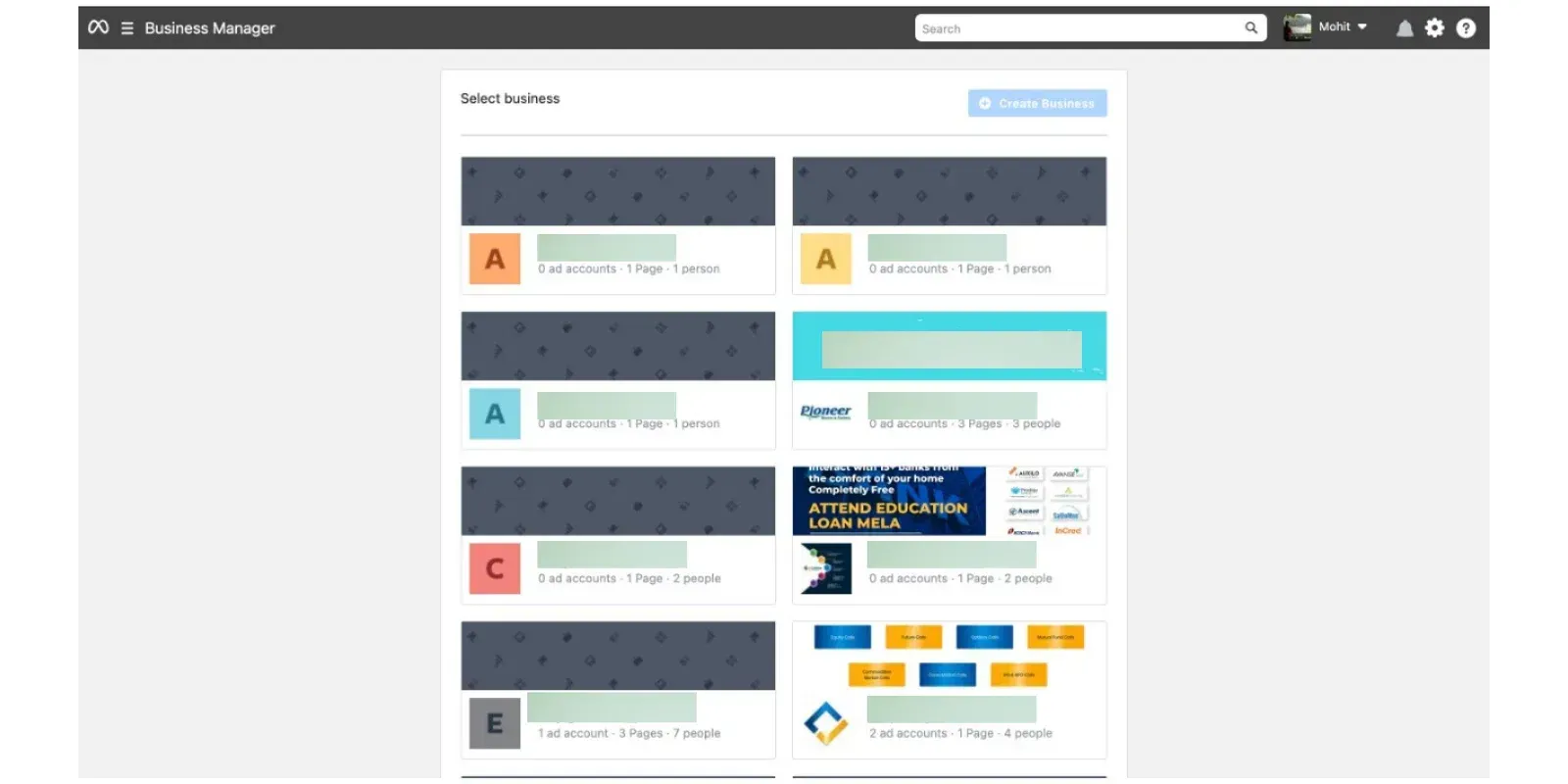
Go to Facebook Business Manager
Open the Facebook Business Manager Page.
This will open to a new tab on your Facebook Business Account.
This will open to a new tab on your Facebook Business Account.
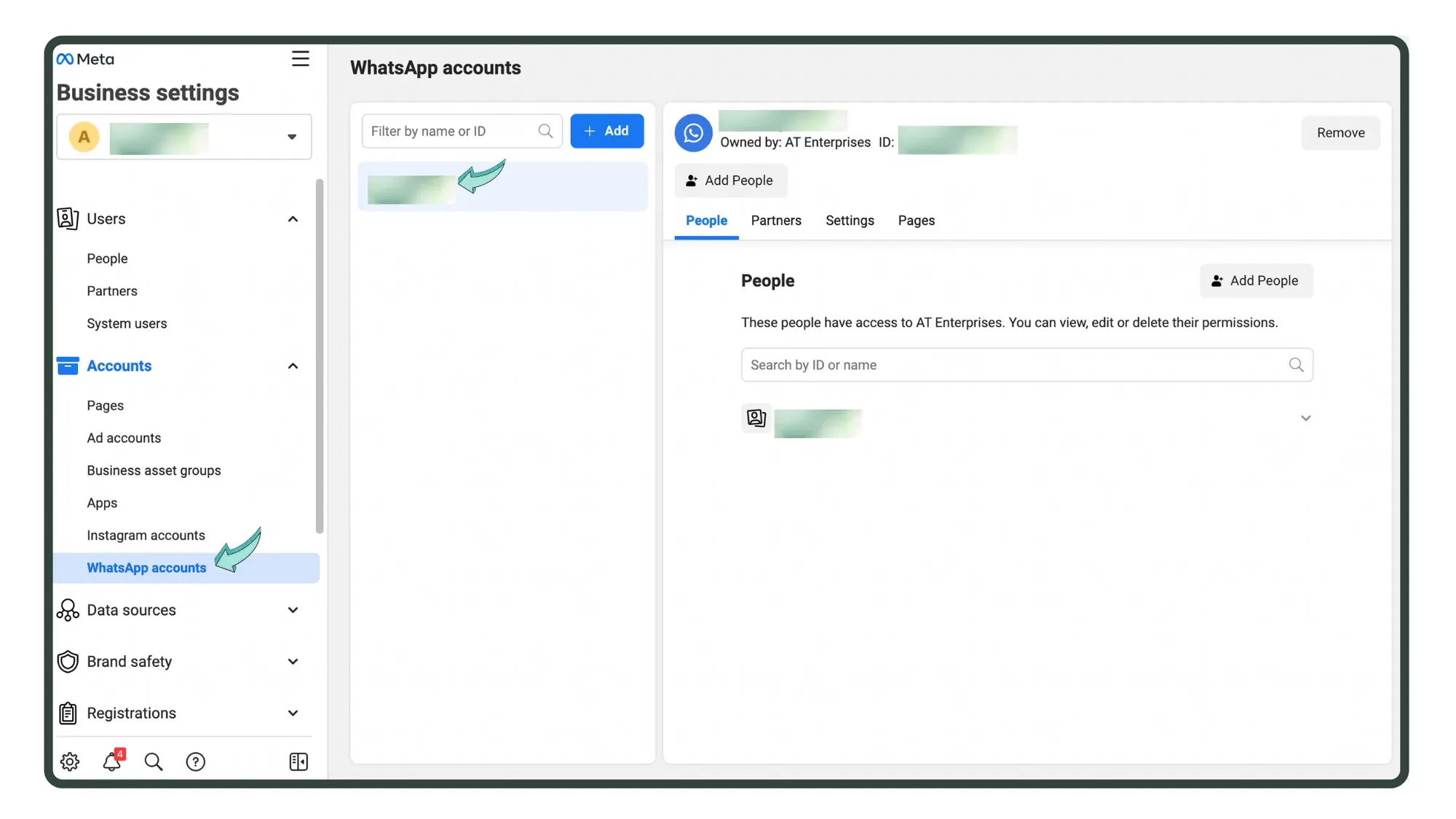
Click on 'WhatsApp Accounts' option
In the Facebook Business Manager, click on 'WhatsApp Accounts' from the left panel & choose the WhatsApp Cloud API account you wish to downgrade.
In case you have multiple WhatsApp Cloud API accounts, select the one you want to downgrade.
In case you have multiple WhatsApp Cloud API accounts, select the one you want to downgrade.
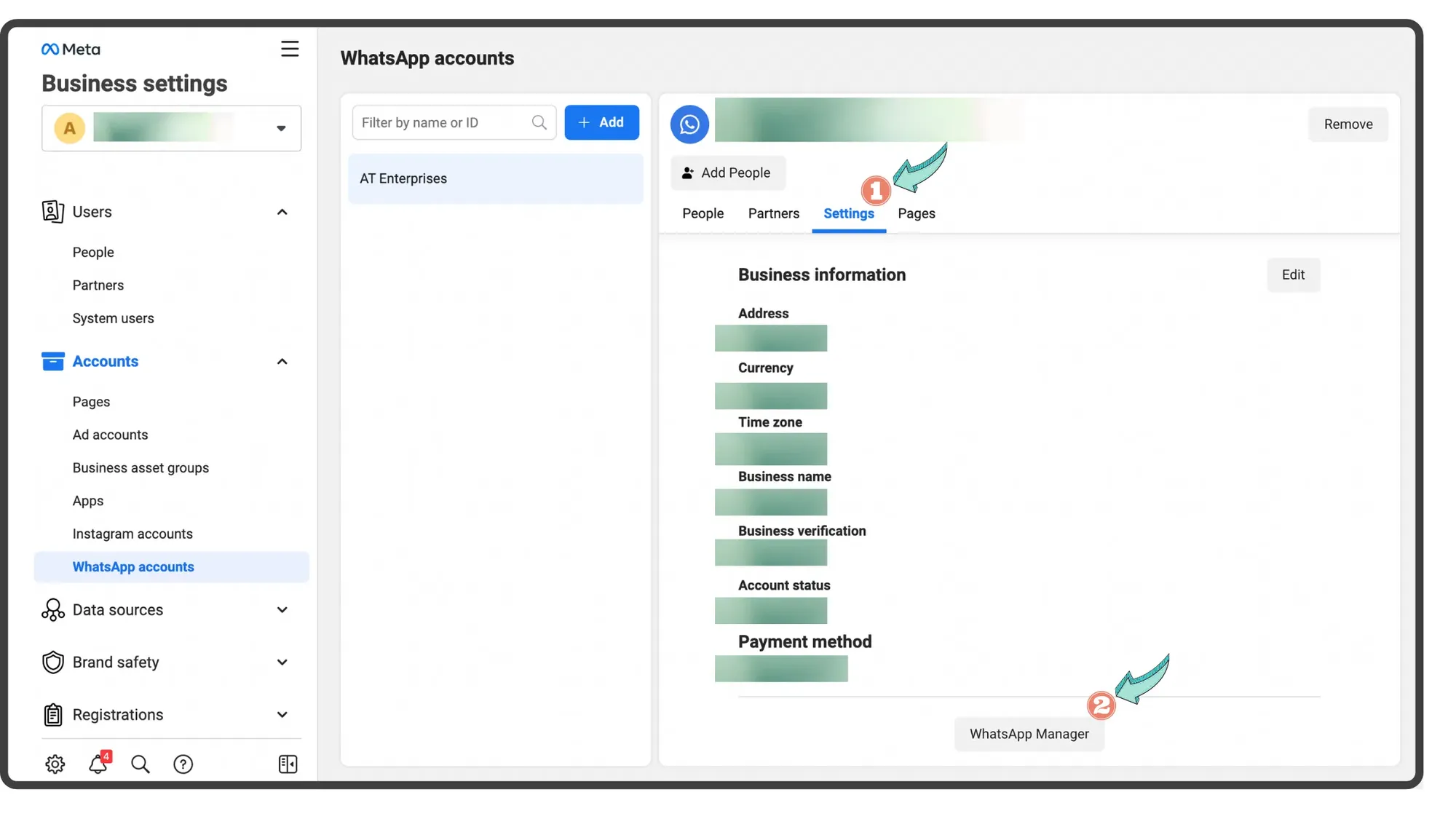
Go to Settings
Under settings, press 'WhatsApp Manager' at the bottom of your screen.
Go to Account Tools
Under the Account Tools section, click on the 'Phone numbers' option.
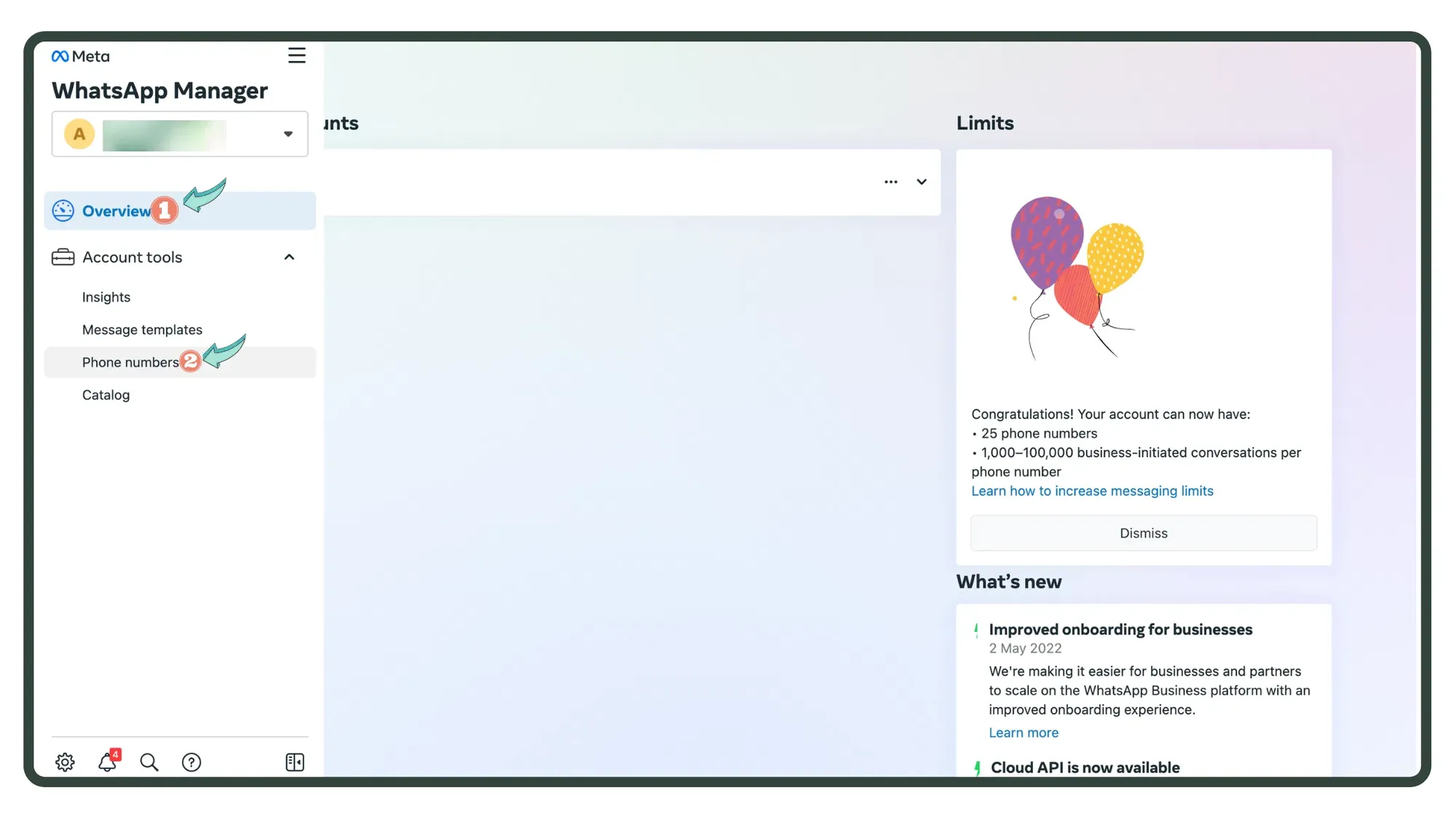
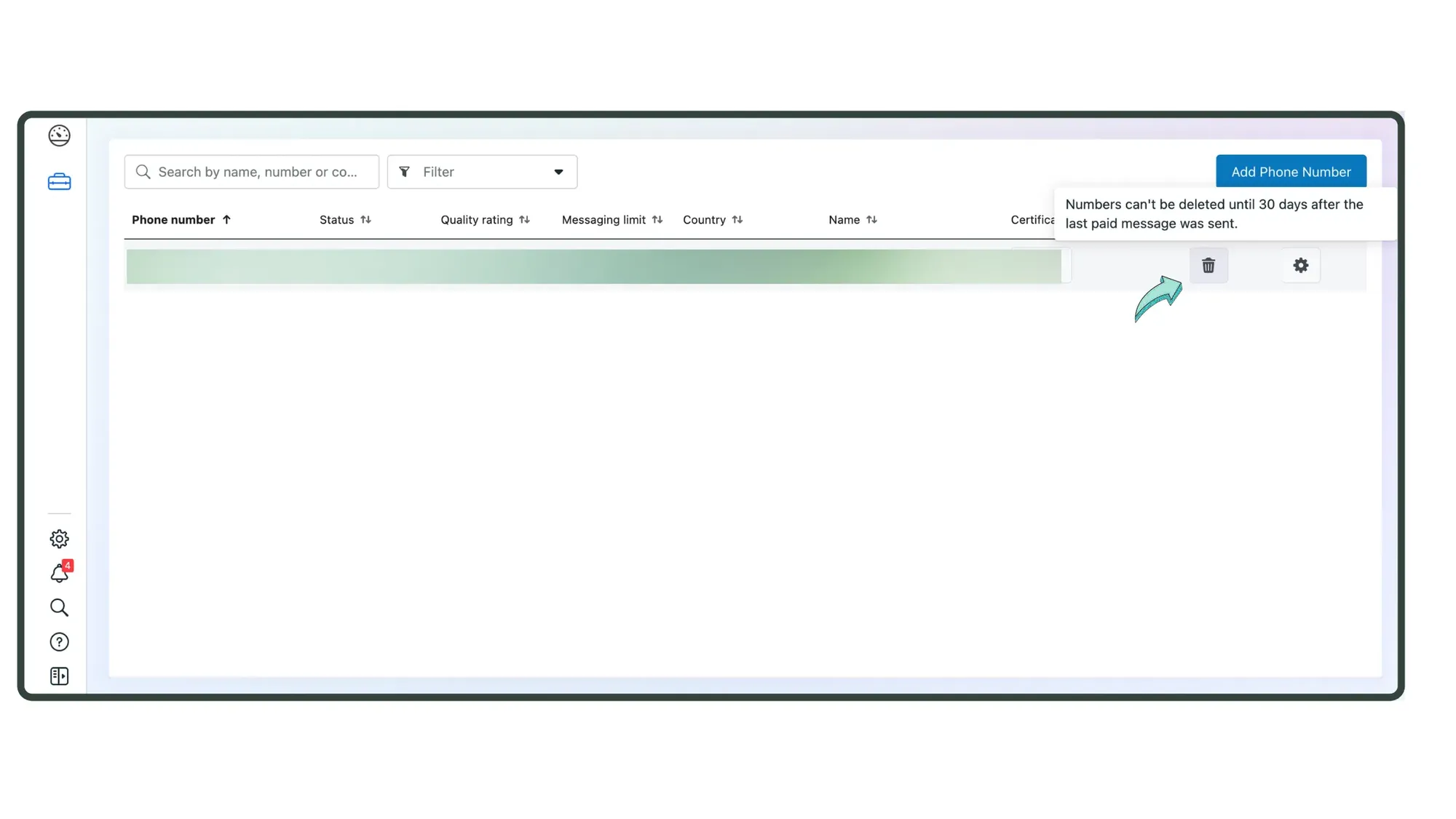
Click the trash bucket icon
On the next screen, click the 'trash bucket' icon to downgrade your WhatsApp Cloud API account.
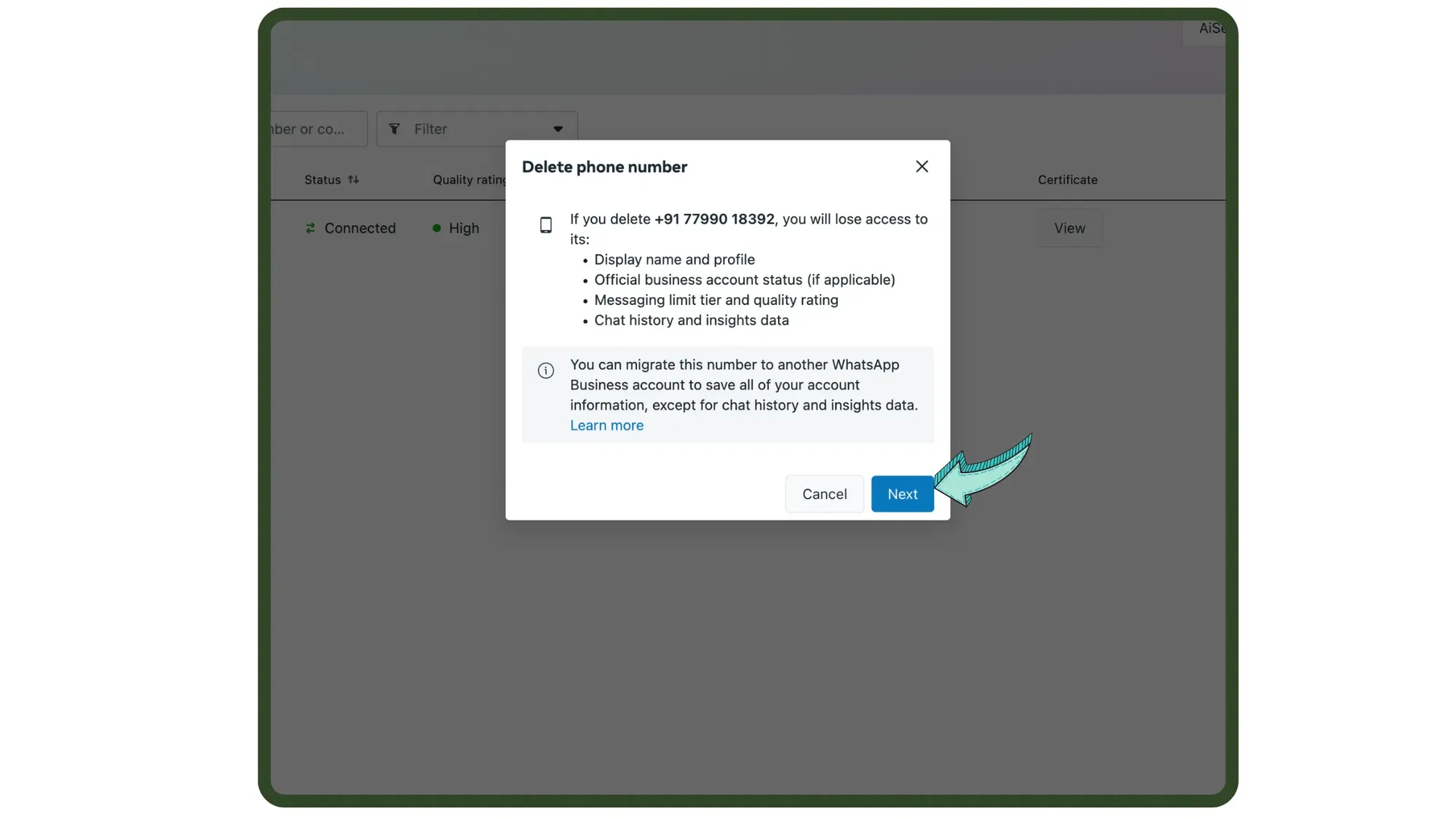
Click Next
On clicking the trash bucket, you'll be informed about the option to save your data by migrating to a different WhatsApp Business Service Provider (BSP).
Click 'Next' to migrate your account.
Click 'Next' to migrate your account.
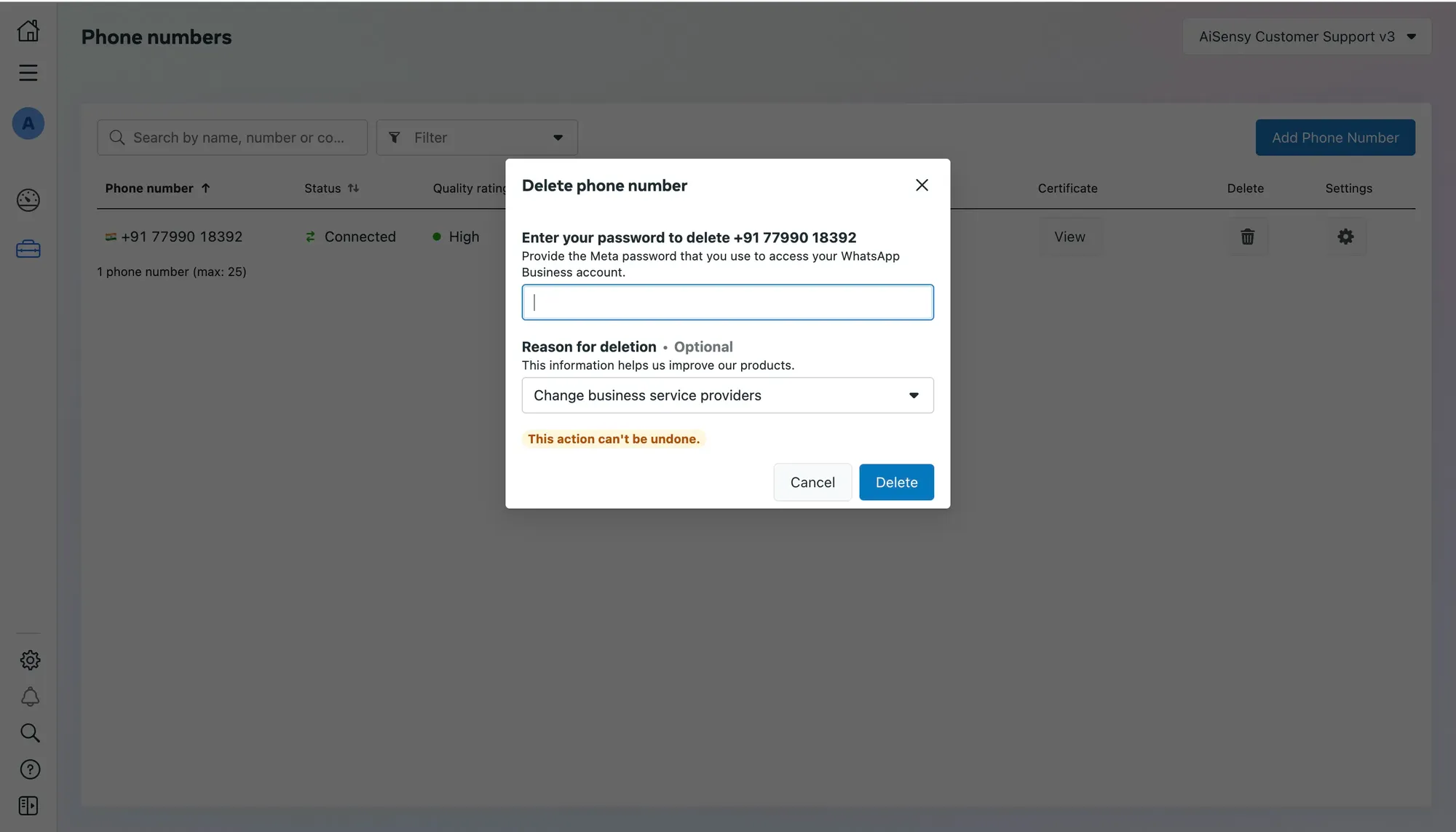
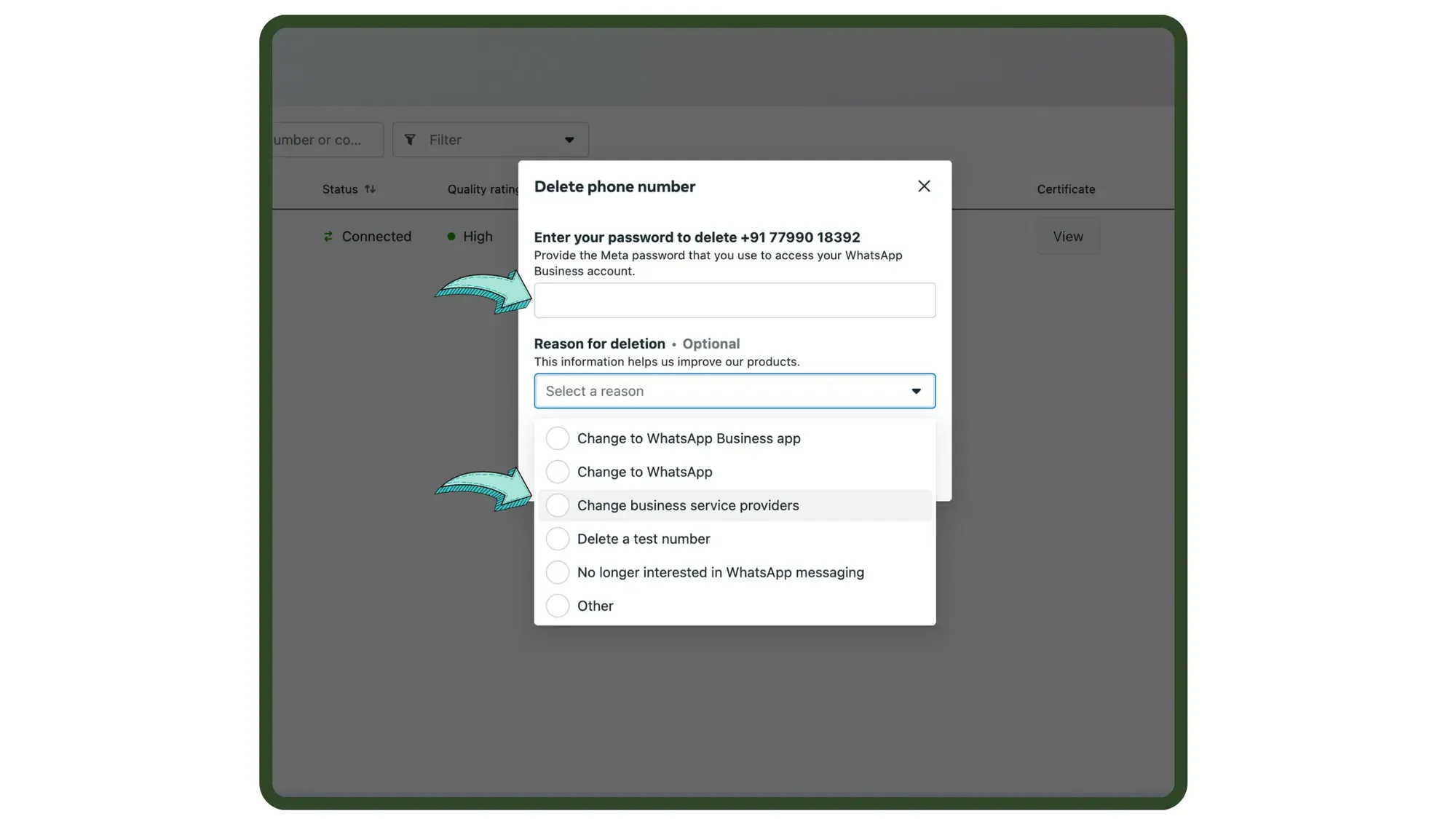
Enter password and reason to delete account
Next, enter your Facebook password & under the reason for deletion choose, 'Change Business Service Providers.'
Downgrade your WhatsApp Cloud API Account
Last, click 'Delete' to successfully downgrade your WhatsApp Cloud API account & be able to apply for WhatsApp Business API with 360Followups.
Follow the below steps to apply for WhatsApp Business API with 360Followups.
Follow the below steps to apply for WhatsApp Business API with 360Followups.